Your server
Turning commands on or off
Published Updated
Switch off one of Martine's commands or a whole category for your server on the dashboard, or in a single channel with a command.
What it does
You can switch off any of Martine's commands for your whole server, one by one or a whole category at once. A command switched off stops for every member, its slash command too. To switch one off in a single channel, use the commands below.
Set it up on the dashboard
- Step 1: Open Settings: Log in, pick your server, open Settings in the bar, then the Commands chip.
- Step 2: Switch a category off: Each of the eight categories has its own switch: General, Games, Images, NSFW, Moderation, Settings, Utility and Info. Switched off, its commands stop answering on your server, but for the five that always stay on (below).
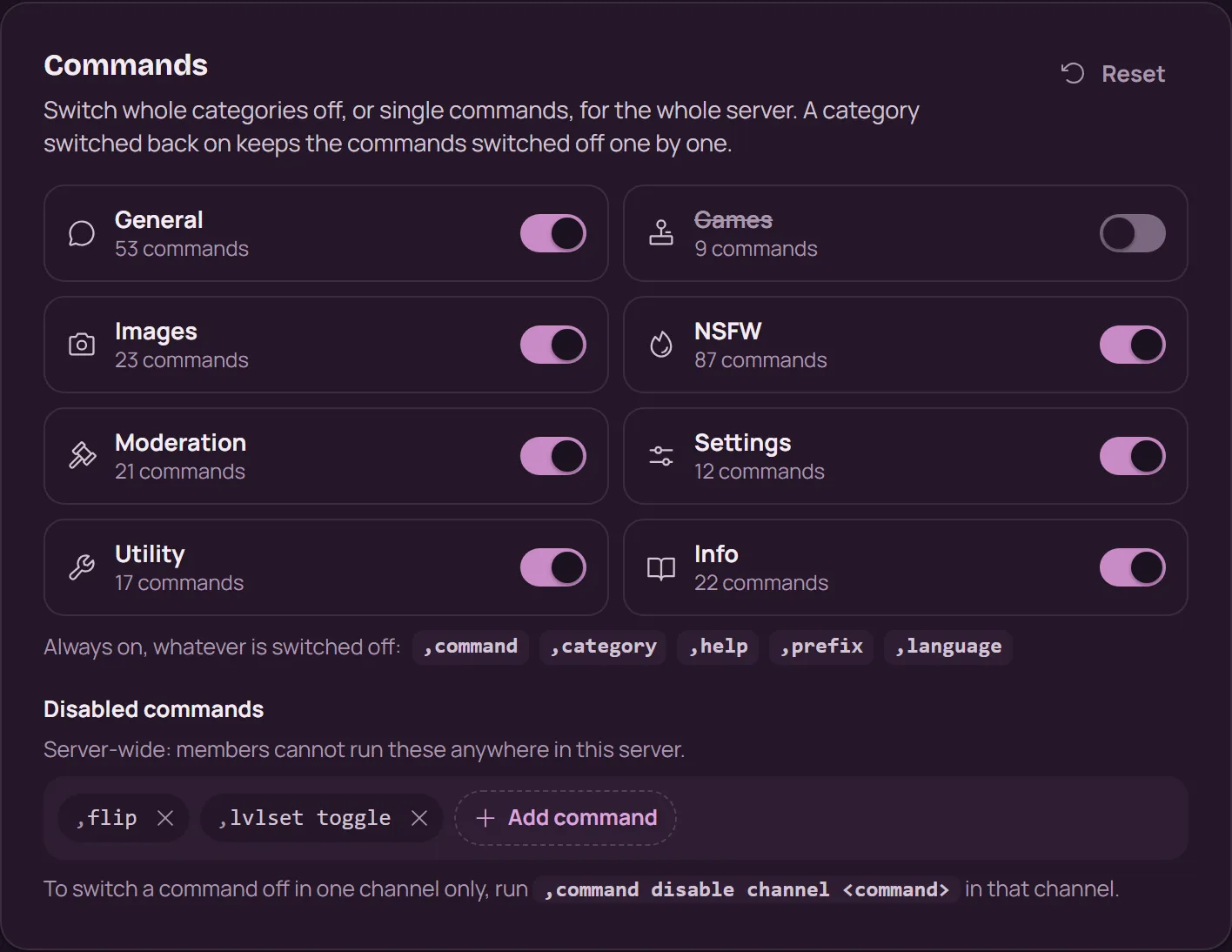
- Step 3: Add command: Under Disabled commands, press Add command and pick the commands to switch off. Members can't run them anywhere in this server.
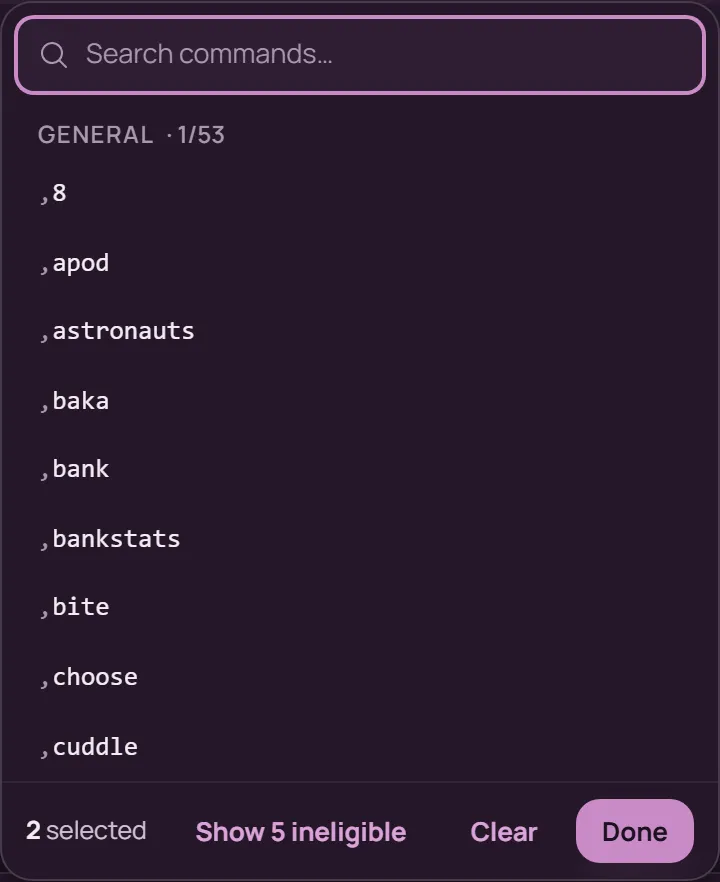
- Step 4: Save: Press Save in the bar at the bottom. What works in chat, beside the sections, shows what is now off.
A category and a command are two separate switches: a category switched back on keeps the commands you switched off one by one.
With commands
These need the server owner or an Administrator.
,command disable server <command>: off on the whole server.,command enable server <command>turns it back on.,command disable channel <command>: off in this channel only.,command enable channel <command>turns it back on.,category disable <category>: a whole category off.,category enable <category>turns it back on. The categories are general, games, images, nsfw, moderation, settings, utils and info.,command listdisabled guild: what is switched off on the server.,command listdisabled channel: what is switched off in this channel.
The server-wide switches are the same ones as on the dashboard: a command switched off in Discord shows in Settings, and the other way round. The channel switches live in Discord only.
If it doesn't work
- Martine applies a change as soon as it is saved. If one ever goes missing on the way, she reads the switches again within ten minutes.
- A command is off in one channel but not on the dashboard? It was switched off for that channel: run
,command listdisabled channelthere. - Still stuck? Ask in the support server (opens in a new tab).
More in this group
Questions about this tutorial? Ask in the support server (opens in a new tab).