Your server
Premium
Published Updated
The Premium tiers and what each one raises, then how to link Patreon and turn Premium on for your server.
What it does
Martine is free to use on every server, with every module. Premium is a monthly pledge on Patreon: it raises her limits on a server, unlocks the finer settings and gives her your server's own look. Each payment keeps it on for 30 days, and you can cancel on Patreon at any time.
What premium adds
Free: 15 alerts on each platform, and Autoporn in 5 channels.
Server Silver, €5 a month, for one server: 30 alerts on each platform, Autoporn in 15 channels at your own pace, her own avatar, banner and bio, and the finer Leveling and Starboard settings. Its first 7 days are free.
Server Gold, €10 a month, for one server: everything in Silver, 50 alerts on each platform, Autoporn in 25 channels, Starboard's Statistics and Messages, and no vote needed for any member.
Server Platinum, €18.50 a month: Server Gold on 5 servers.
User Premium, €3 a month, follows you rather than a server. Every server tier includes it for the person who pays.
The Premium page compares every perk, tier by tier.
Set it up on the dashboard
- Step 1: Pick a tier: On Premium, press Start 7 days free on Patreon on Silver, or the button of the tier you want, and finish on Patreon.
- Step 2: Connect Discord on Patreon: In Patreon's settings, connect the same Discord account you log in to Martine with.
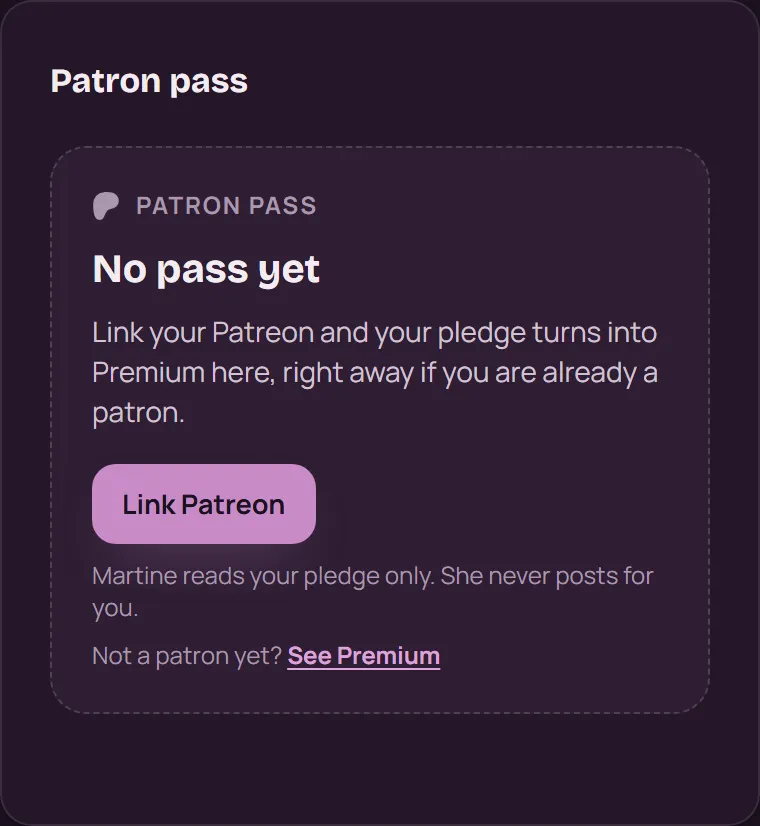
- Step 3: Link Patreon: Log in, open Account, then press Link Patreon in Patron pass and allow Martine on Patreon. Your pledge shows up as your pass right away.
- Step 4: Activate: Open your server, then Settings and its Premium section. Press Activate, then Turn on Premium. It takes one of your plan's slots.
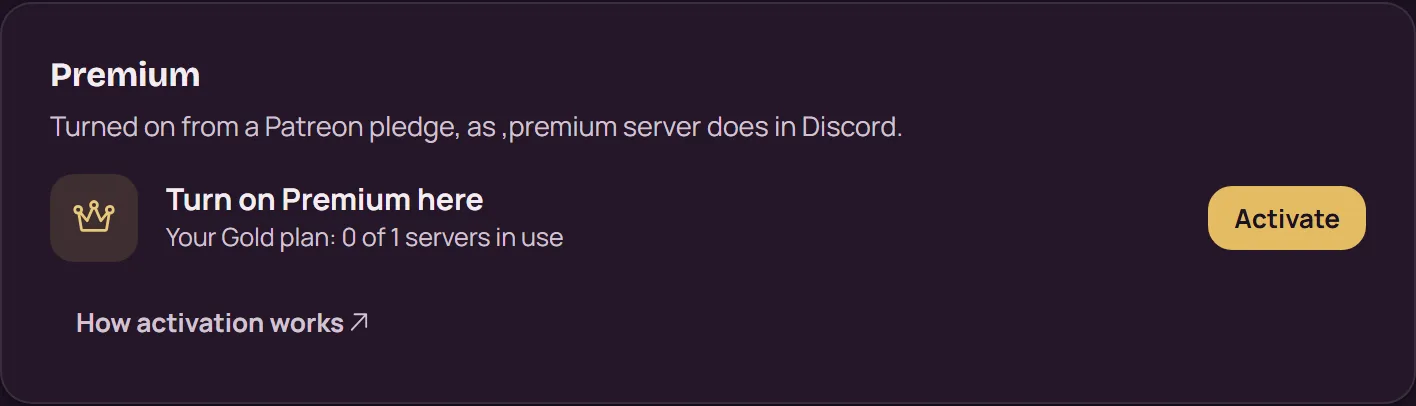
To move Premium to another server, press Remove Premium in the same section and confirm: the slot frees up, and the first server keeps its settings, which stop applying. Only the person who turned Premium on can remove it.
With commands
,premium status: your Premium, and this server's.,premium server activate: turns Premium on for this server from your pledge.,premium server remove: takes it off this server, so you can use the slot on another one.
The two ,premium server commands need the server owner or an Administrator.
If it doesn't work
- Connect Discord on Patreon first: your Patreon account has no Discord account connected. Connect it in Patreon's settings, then link again.
- Patreon is connected to another Discord account: log in to Martine with that account, or connect this one on Patreon.
- No Activate button? Turning Premium on for a server needs a Silver, Gold or Platinum pledge. User Premium covers you, not a server.
- Every server your plan covers already has Premium: remove it from one of them first. Silver and Gold cover one server, Platinum 5.
- A payment didn't go through? Fix it on Patreon, and your pass updates on its own.
- Ko-fi tips are welcome, but they don't unlock a tier: tiers come from a monthly Patreon pledge.
- Still stuck? Ask in the support server (opens in a new tab).
More in this group
Questions about this tutorial? Ask in the support server (opens in a new tab).