Features
Alerts for streams and posts
Published Updated
Martine posts in your channel when a creator goes live or shares something new, on seven platforms.
What it does
Pick a creator and a channel. When they go live on Twitch, Kick, YouTube or TikTok, post a video on YouTube or TikTok, or post on Twitter / X, Bluesky or Mastodon, Martine sends your message there with a link and a preview.
Set it up on the dashboard
- Step 1: Open Alerts: Log in, pick your server, then open Alerts in the bar.
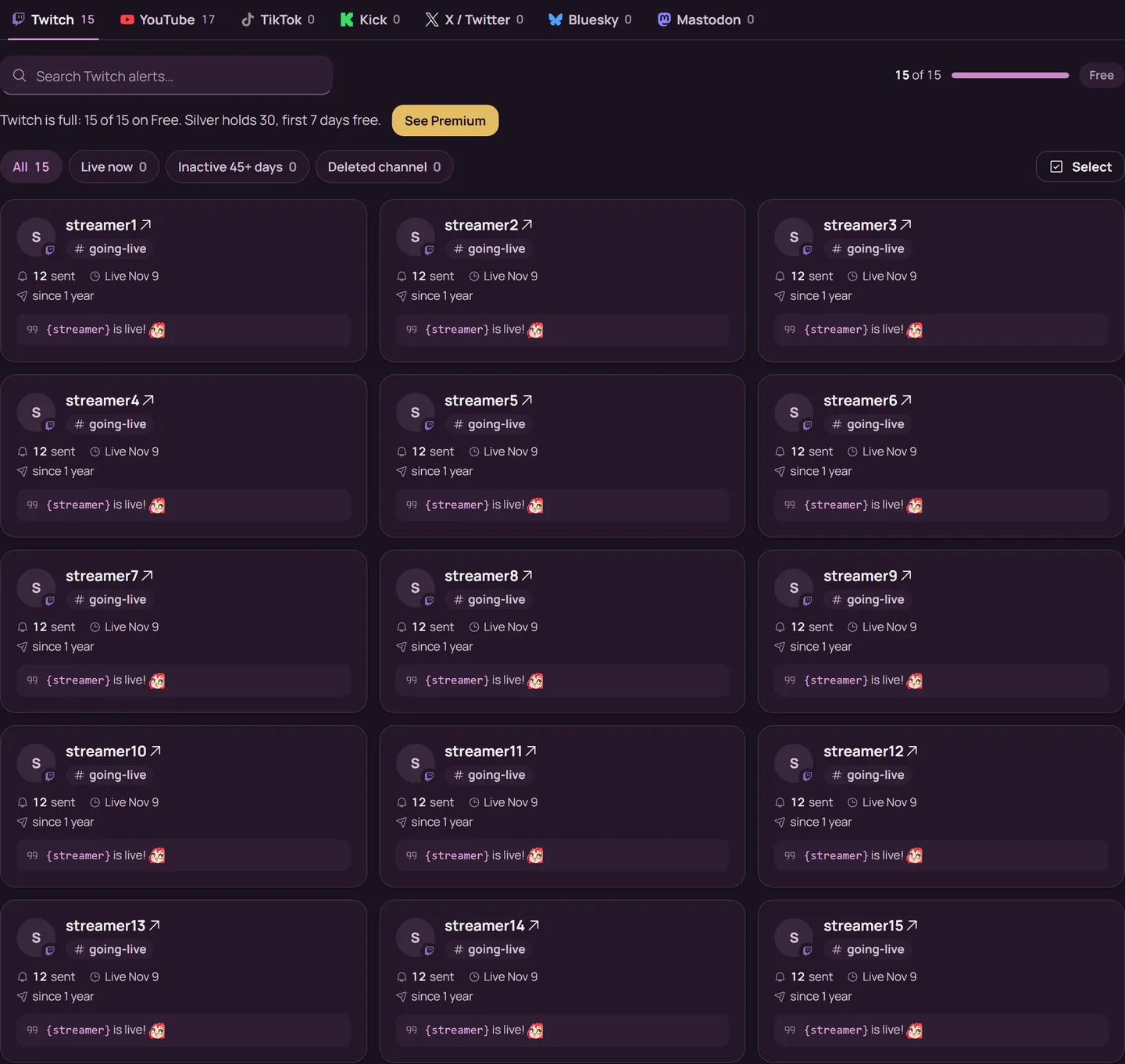
- Step 2: Pick the platform: Choose it in the row of platforms. On YouTube, pick Videos or Streams first.
- Step 3: Find the creator: Press Add alert, then type the creator's name or @handle, or paste their link. Martine checks they exist before you can save. A link from another platform switches the alert to that platform.
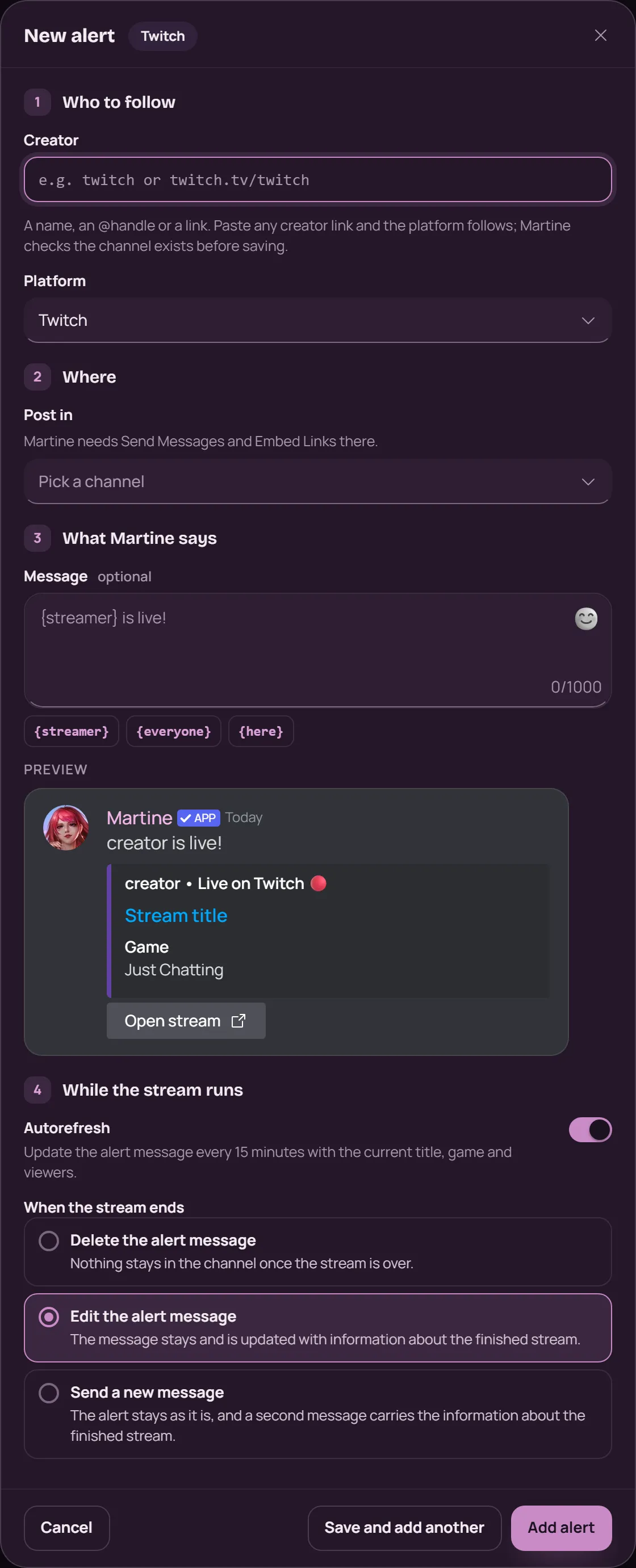
- Step 4: Choose the channel and the message: Under Where, pick the channel in Post in. Under What Martine says, write the message: the chips under the box add the creator's name, or a ping for everyone or for the members online, and the preview shows the alert as it will look.
- Step 5: Add it: For a stream, choose Autorefresh (the message updates every 15 minutes with the title, game and viewers) and what happens When the stream ends. For posts, choose whether to include reposts and replies. Then press Add alert.
To change an alert later, press the pencil on its card. The bin removes it. The creator can't change on an existing alert: remove it and add a new one.
With commands
Every alert can also be set up in Discord, with the prefix or with the slash command /alerts. Run the command in the channel Martine should post in: she answers with that alert's settings, and Enable adds it. You need the Manage Server permission.
,alerts streams twitch <user_name_or_url>: a Twitch channel's streams (Kick, YouTube and TikTok work the same way),alerts videos youtube <user_name_or_id>: a YouTube channel's videos (TikTok too),alerts posts bluesky <handle_or_url>: a Bluesky account's posts (Twitter and Mastodon too),alerts streams list: every stream alert on your server, as,alerts videos listand,alerts posts listlist theirs
What premium adds
Free servers get 15 alerts on each platform, with YouTube's Videos and Streams counted apart. Server Silver raises that to 30, and Server Gold and Platinum to 50.
See Premium
If it doesn't work
- Martine can see the channel, and has Send Messages and Embed Links there. When Discord refuses her a post, she removes every alert in that channel: add them back once it's fixed.
- The creator is the right one: their name on the card links to their profile.
- A card marked Inactive 45+ days still works: the creator just hasn't gone live or posted in that time.
- On the Overview, Where Martine posts warns you when she is missing a permission in one of her channels.
- Still stuck? Ask in the support server (opens in a new tab).
More in this group
Questions about this tutorial? Ask in the support server (opens in a new tab).