Features
Starboard
Published Updated
When a message collects enough stars, Martine reposts it in a channel of its own, so your server's best moments stay easy to find.
What it does
Members react to a message with the starboard's emoji. Once it has enough stars, Martine posts it in your starboard channel with its author, a link back and its star count, and keeps the count up to date as stars come and go.
Set it up on the dashboard
- Step 1: Open Starboard: Log in, pick your server, open Essentials in the bar, then Starboard.
- Step 2: Pick the channel: In General, pick the Starboard channel, where Martine posts starred messages. She needs View Channels, Send Messages, Embed Links, Attach Files and Read Message History there.
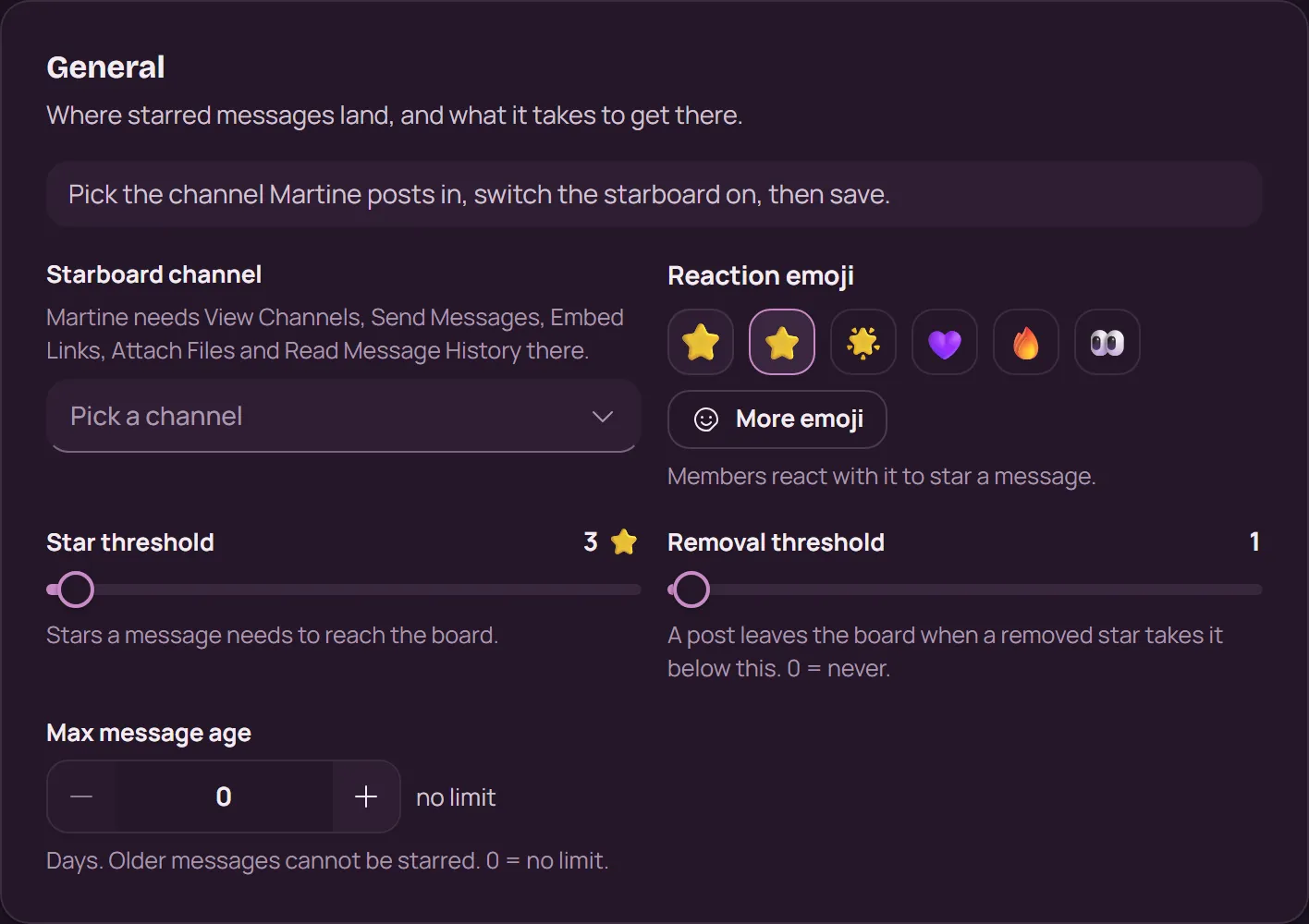
- Step 3: Choose the emoji and the threshold: The Reaction emoji is what members star with (⭐ at first). The Star threshold is how many stars a message needs to reach the board (3 at first). Under the Removal threshold, a post leaves the board again.
- Step 4: Switch it on and save: Turn the switch at the top of the page to On, then press Save in the bar at the bottom.
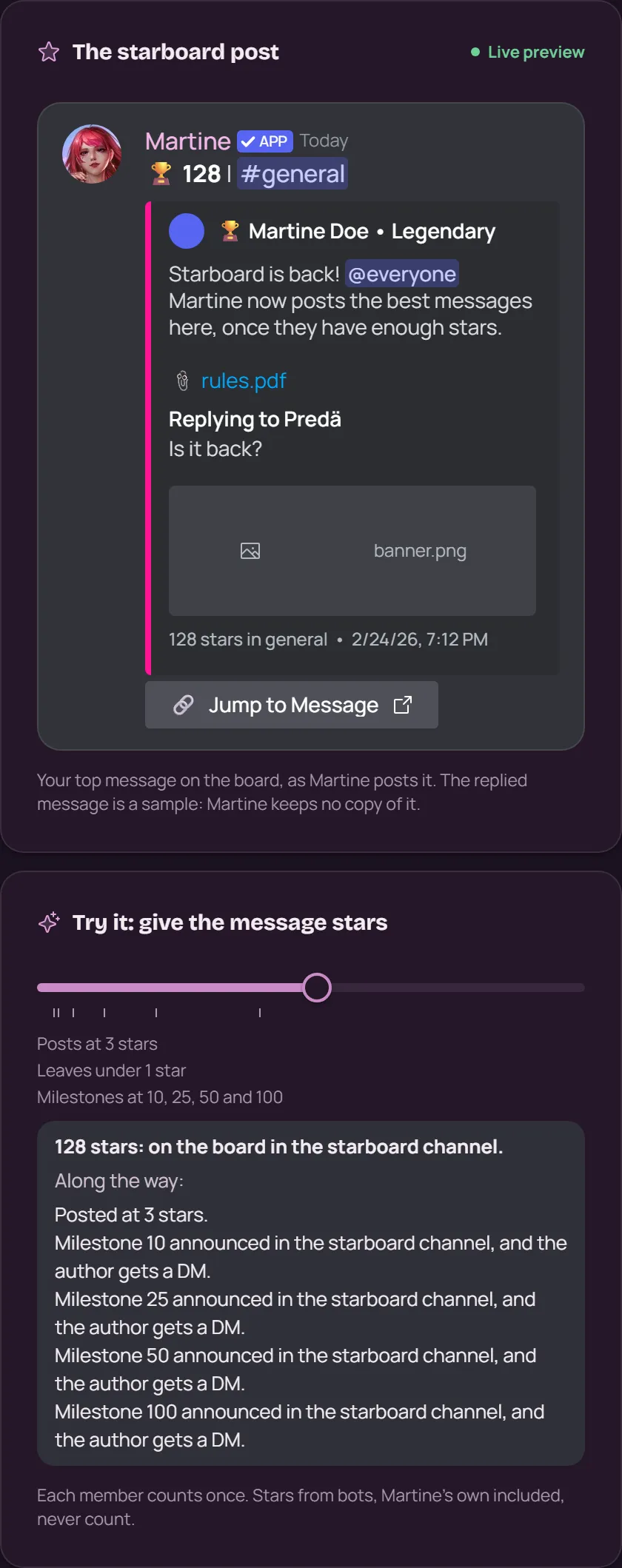
Filters decides whether bot messages, messages from age-restricted channels and members starring their own messages count: all three are off at first. Channels limits the stars to some channels, or leaves some out. The preview beside the form shows the post as Martine will send it, and its slider shows when a message gets there.
With commands
,starboardset setup <channel> [emoji] [threshold]: set up the starboard in one go,starboardset toggle [enabled]: switch it on or off,starboardset threshold <threshold>: the stars a message needs,starboardset emoji <emoji>: the reaction emoji,starboard info: details about the starboard, for anyone,starboard leaderboard: the leaderboards of messages, stargazers and authors,starboard random: a random message from the board
,starboardset needs the Manage Server permission.
What premium adds
Server Silver adds Who can star (role and member filters), the rest of the post's Look (the author display, a colour override, the timestamp, compact mode and a footer), Milestones and Anti-abuse (autoreact, the lock and a cooldown). Server Gold adds Statistics (a month of activity, by day and by channel, and who gets and gives the most stars) and Messages (browse, search and filter every message on the board, and take one off it).
See Premium
If it doesn't work
- The switch at the top reads On, and you saved.
- Martine has the five permissions above in the starboard channel, and can see the channel the message is in.
- Members react with the starboard's emoji, not another one. Each member counts once, and stars from bots never count.
- The message isn't older than the Max message age. Messages from bots and from age-restricted channels, and a member's star on their own message, count only when Filters allows them.
- A message taken off the board in Messages comes back with
,starboardset message unfreeze <message>and enough new stars. - Still stuck? Ask in the support server (opens in a new tab).
More in this group
Questions about this tutorial? Ask in the support server (opens in a new tab).