Features
Leveling
Published Updated
Members earn EXP as they chat, climb levels, collect role rewards and compete on your server's leaderboard.
What it does
Every message a member sends can earn EXP. Enough EXP takes them to the next level: Martine announces it where you choose, and gives a role when that level holds a reward. Members thank each other with reputation points, and the leaderboard ranks everyone by EXP.
Set it up on the dashboard
- Step 1: Open Leveling: Log in, pick your server, then open Essentials in the bar. Leveling is the first module there.
- Step 2: Switch it on: Turn the switch at the top of the page to On. Leveling stays off until you do.
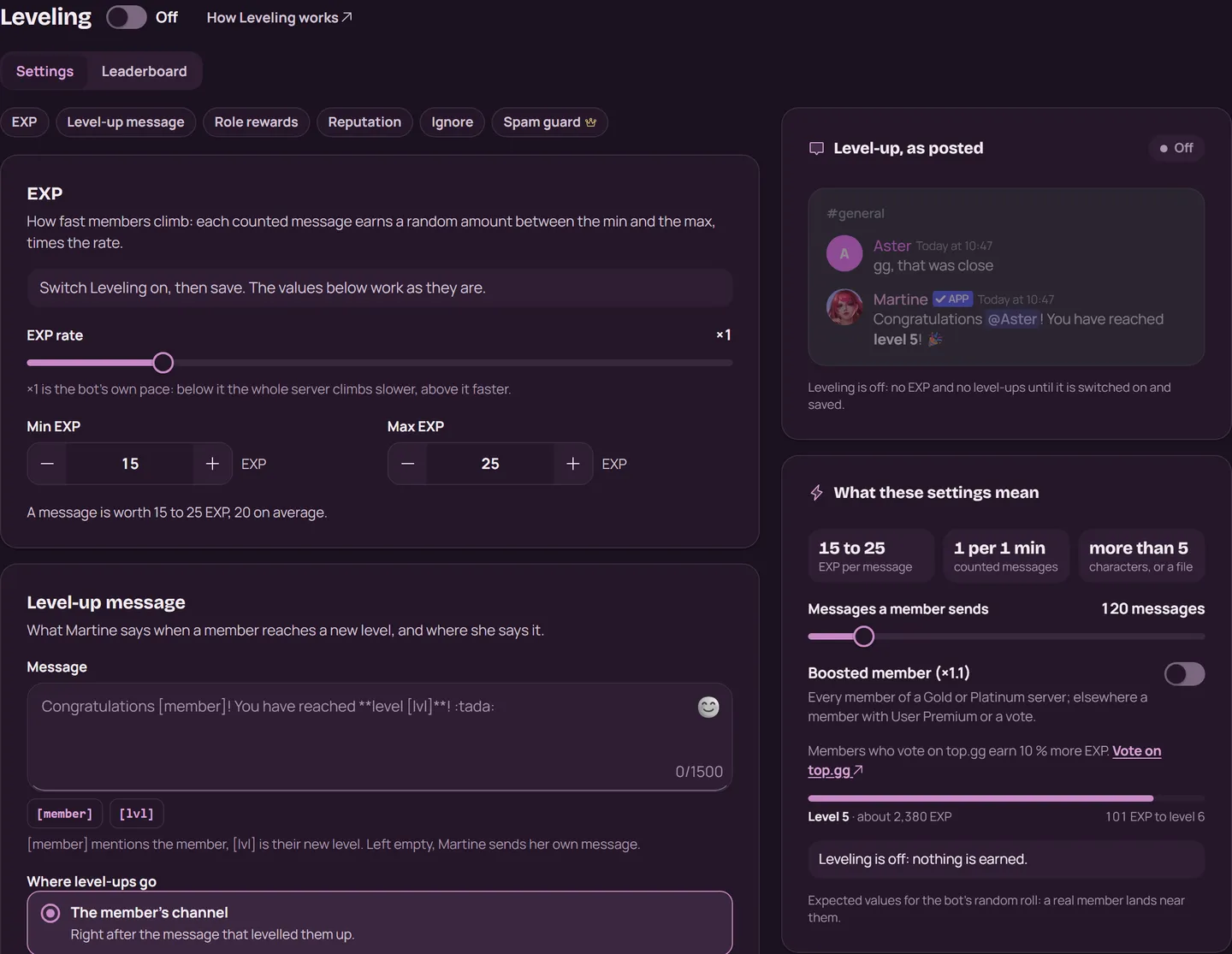
- Step 3: Tune the EXP: In EXP, each counted message earns a random amount between Min EXP and Max EXP (15 and 25 at first), times the EXP rate. What these settings mean, beside the form, shows how far a member gets.
- Step 4: Choose the level-up message: In Level-up message, pick Where level-ups go: The member's channel, A direct message, One channel or Nowhere. In the message,
[member]mentions the member and[lvl]is their new level. Left empty, Martine sends her own. - Step 5: Add role rewards: In Role rewards, pick a Reward level and a Reward role, then press Add reward. Choose whether members Keep all previous roles or Keep only the highest.
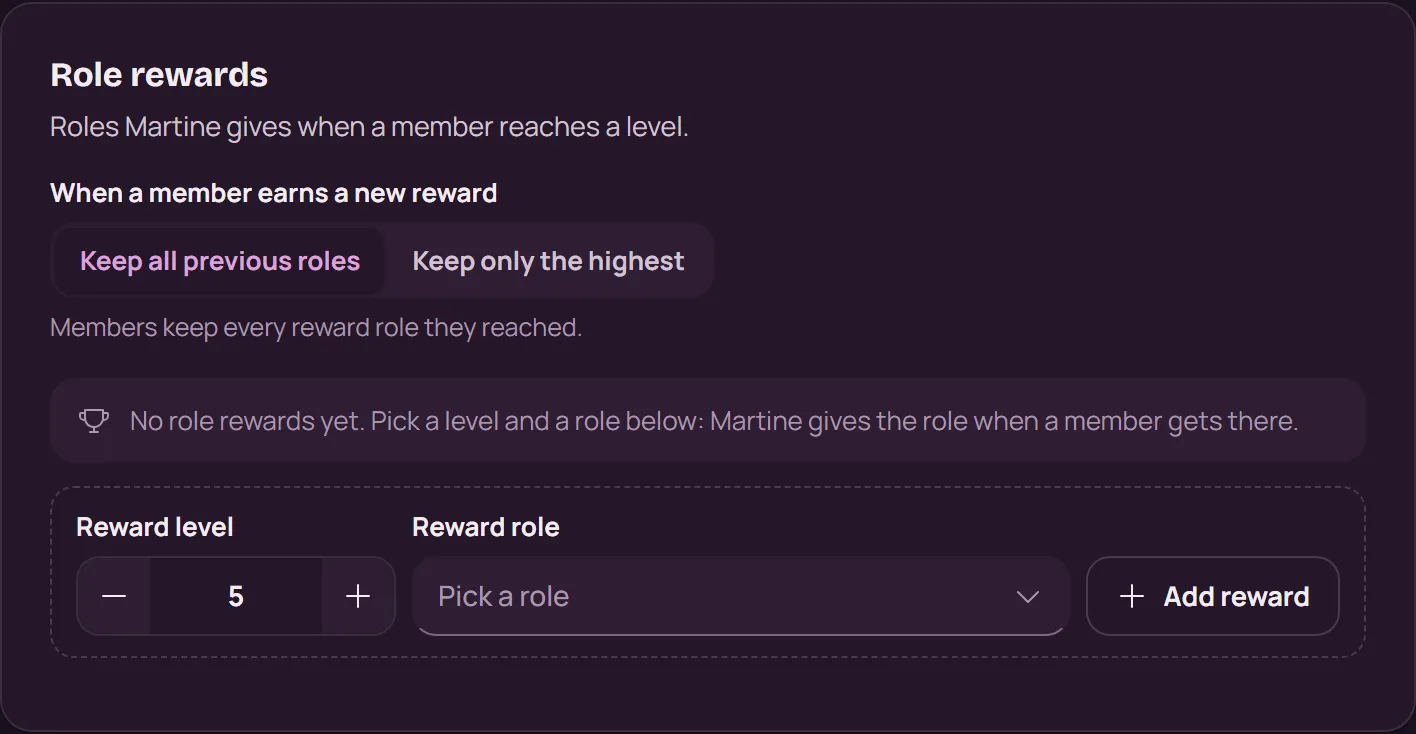
- Step 6: Save: Press Save in the bar at the bottom.
- Step 7: Open the Leaderboard: The Leaderboard tab ranks your members by EXP, as
,lvltopdoes. Find a member gives anyone's rank.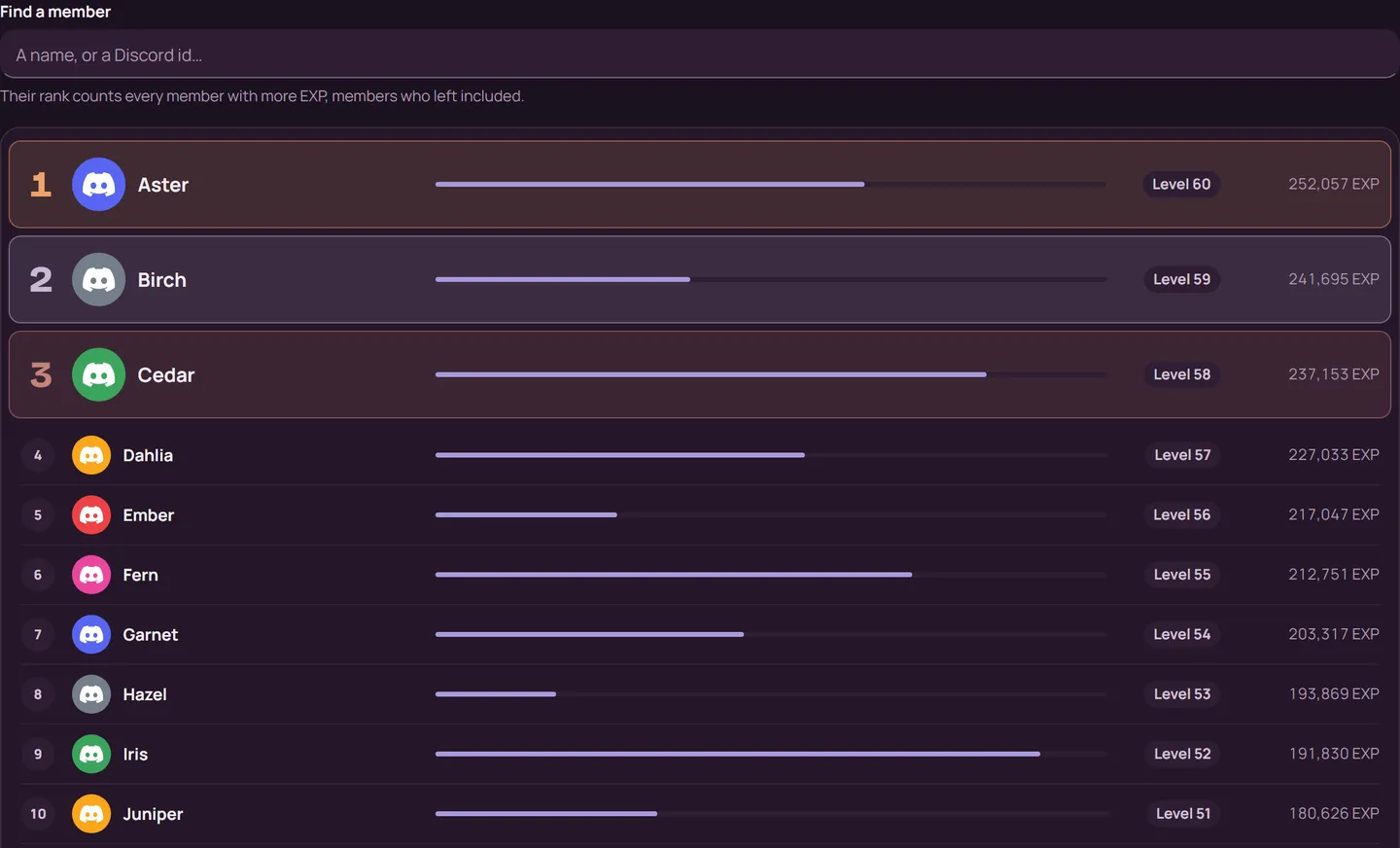
Reputation sets the wait between two reputation points, and Ignore lists the channels and roles that never earn EXP.
With commands
,lvlset toggle: switch leveling on or off,lvlset lvlup destination [destination]: where level-ups go:member,currentor a channel; without one, level-ups go nowhere,lvlset lvlup message [message]: the level-up message, with[member]and[lvl],lvlset roles add <level> <role>: a role reward,lvlset exp rate <rate>: the rate, from 0.1 to 5,profile [member]: a member's profile card,lvltop: the server's top 10,rep <member>: give a member a reputation point
,lvlset needs the Manage Server permission.
What premium adds
The Spam guard (the Minimum message length and the EXP cooldown) comes with Server Silver. On a Gold or Platinum server, every member earns 10% more EXP.
See Premium
If it doesn't work
- The switch at the top reads On, and you saved.
- The channel and the member's roles aren't in Ignore. Bots never earn EXP.
- A message counts only when it's longer than the Minimum message length or carries a file, and once per EXP cooldown (60 seconds at first). A member's first message never counts.
- For a role reward, Martine needs Manage Roles, and the role must sit below her highest role and not be managed by an integration. If she can't give one, she switches leveling off for the whole server, and the page says why.
- Level-ups in One channel need View Channel and Send Messages there. A member who blocks direct messages gets none by DM.
- Still stuck? Ask in the support server (opens in a new tab).
More in this group
Questions about this tutorial? Ask in the support server (opens in a new tab).