Your server
Settings
Published Updated
Change Martine's prefixes and language on your server, choose who else can use the dashboard, and give her a nickname and her own look.
What it does
Settings holds what applies to Martine across your whole server: the prefixes members type, the language she answers in, her name and look, the commands switched off, who else can use this dashboard, and Premium. Nothing changes until you press Save, but for Premium, which has its own buttons.
Set it up on the dashboard
- Step 1: Open Settings: Log in, pick your server, then open Settings in the bar. The chips under the title jump to each section.
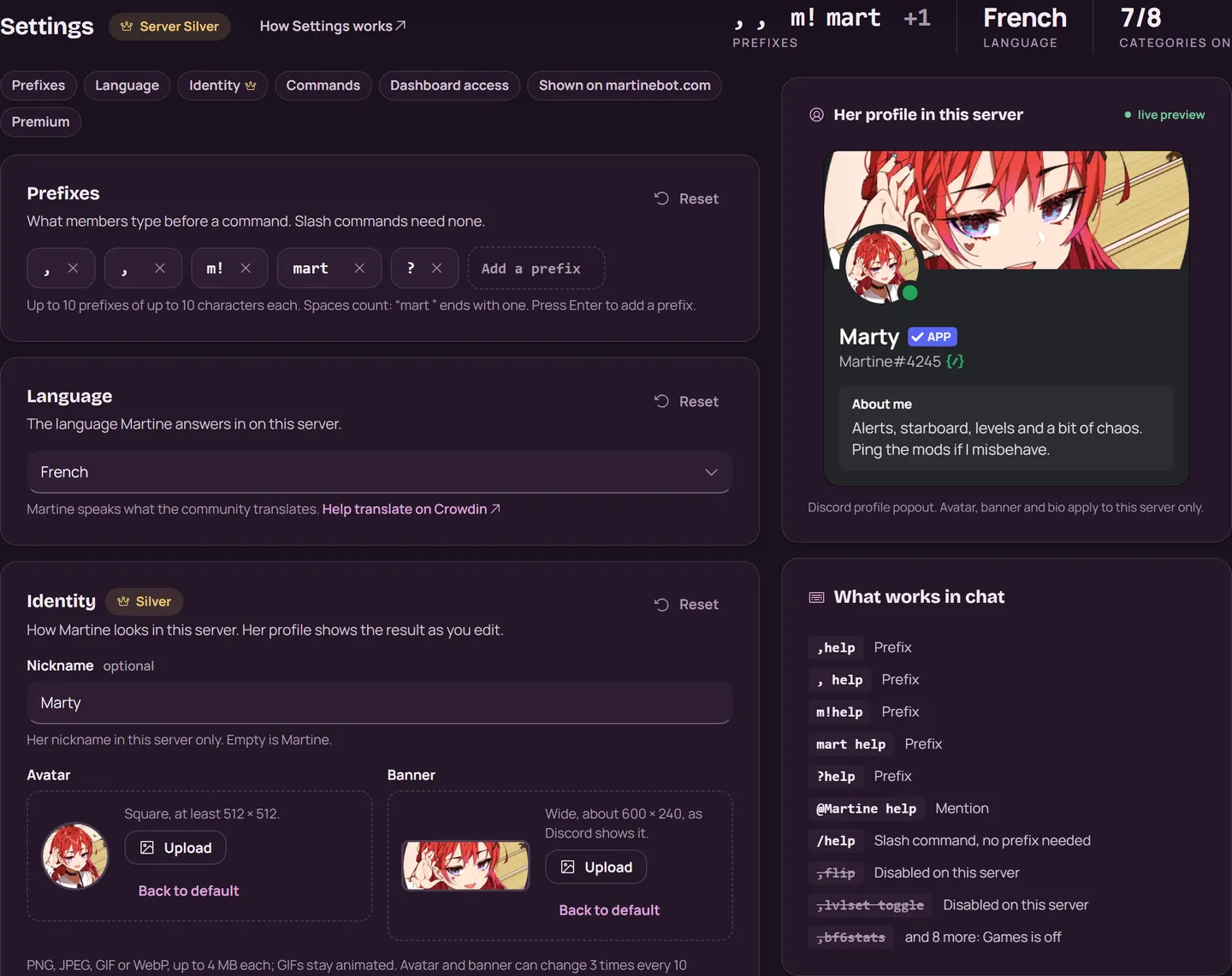
- Step 2: Prefixes: Type a prefix in Add a prefix and press Enter. A server keeps 1 to 10 prefixes of up to 10 characters each. Spaces count, so “mart ” ends with one. A prefix can't start with
/or a space. What works in chat beside the sections shows what members can type. - Step 3: Language: Pick the language Martine answers in on this server. Search by name or code. She speaks what the community translates: you can help translate on Crowdin (opens in a new tab).
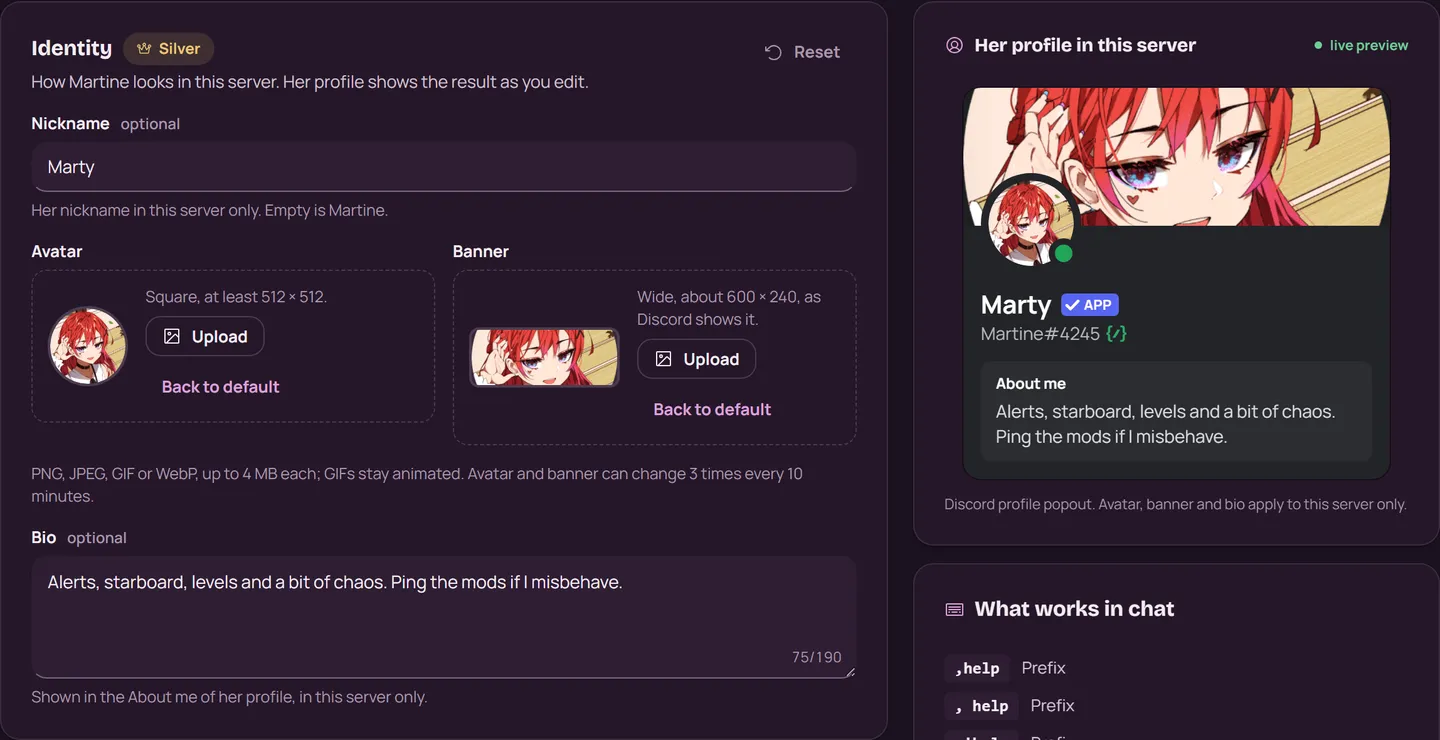
- Step 4: Identity: Give her a Nickname on this server, up to 32 characters. With Server Silver, add her own Avatar, Banner and Bio too. Her profile in this server shows the result as you edit, and Back to default puts a picture back.
- Step 5: Commands: Switch whole categories or single commands off. Turning commands on or off covers it.
- Step 6: Dashboard access: The server owner, Administrators and members with Manage Server always have access. Add up to 25 roles and 50 members to let others use this dashboard for this server. Only the owner and Administrators can change these lists.
- Step 7: Save: Your changes wait in the bar at the bottom of the page. Press Save, or Discard to drop them. All changes saved means Martine applies them now.

A section that differs from its defaults shows Reset (Premium never does): it puts the section's defaults in the bar, and Save applies them. The last section, Premium, is covered in Premium.
With commands
,prefix: the server's prefixes. Its Add a prefix and Delete a prefix buttons work for members with Manage Server.,language fr-FR: the language Martine answers in, by its code. It needs Manage Server, and works as/languagetoo.
Slash commands work whatever the prefix is. A change made in Discord shows in Settings, and the other way round.
What premium adds
Her nickname is free on every server. Her own avatar, banner and bio on your server come with Server Silver and up. They stay on Discord after Premium ends, until you press Back to default.
If it doesn't work
- A new nickname is refused? Martine needs the Change Nickname permission in your server.
- A picture is refused? Use a PNG, JPEG, GIF or WebP of up to 4 MB. Her avatar and banner can change 3 times every 10 minutes.
- These settings were saved somewhere else. Someone changed them in another tab or in Discord. Reload shows theirs and drops your changes; Keep mine keeps your changes on top of theirs.
- You can see Dashboard access but not change it? Only the server owner and Administrators can.
- Still stuck? Ask in the support server (opens in a new tab).
More in this group
Questions about this tutorial? Ask in the support server (opens in a new tab).